TwinPhoneTwinPhone
Virtual NumbersRatesComparisonsFor Business
Referral
Virtual NumbersRatesComparisonsFor BusinessUse CasesBlogeSIMReferral
Log InGet Started Free
Language
Back to Blog
GuidesFeb 28, 20267 min read

Virtual Phone Numbers: Everything You Need to Know

What are virtual numbers, how do they work, and why should you get one? A complete guide for travelers and businesses.

Virtual Phone Numbers: Everything You Need to Know — TwinPhone international calling guide
On this page▾
  1. 01What Is a Virtual Phone Number?
  2. 02Why Would You Want a Virtual Number?
  3. 03How Virtual Numbers Work (Simply Explained)
  4. 04How Much Do Virtual Numbers Cost?
  5. 05Virtual Numbers for Business: Use Cases
  6. 06How to Get a Virtual Number with TwinPhone
01

What Is a Virtual Phone Number?

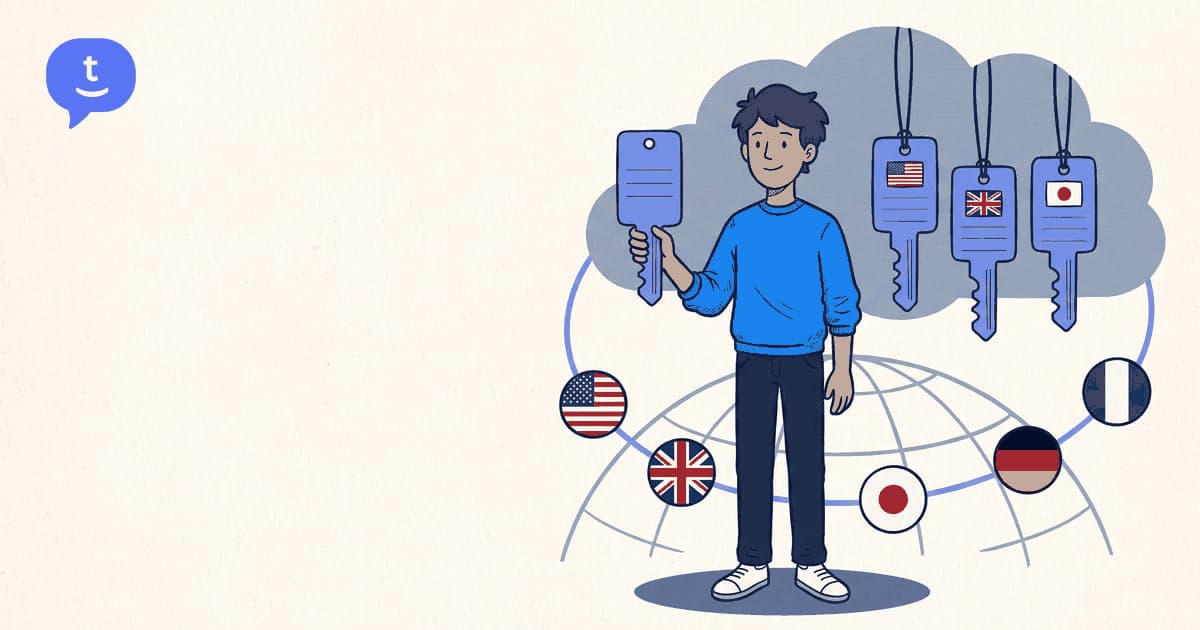
A virtual phone number is a real, working phone number that isn't tied to a physical SIM card or phone line. Instead, it routes calls over the internet to wherever you are.

When someone calls your virtual number, the call reaches you through your browser, app, or any connected device — regardless of where you physically are in the world.

Think of it as a phone number that lives in the cloud. You can have a US number while sitting in Tokyo, a UK number while working from Bali, or a German number while living in Brazil.

02

Why Would You Want a Virtual Number?

There are several compelling reasons:

Local presence — a London number for your UK clients, a New York number for US customers. People are 3x more likely to answer a call from a local number.

No roaming fees — receive calls from anywhere in the world through your browser. No international roaming charges ever.

Privacy — keep your personal number private. Use a virtual number for business, online marketplaces, or dating apps.

Professional image — small businesses and freelancers can project a professional presence in multiple countries without physical offices.

Caller ID — use your virtual number as your outbound caller ID when making international calls. Recipients see a familiar local number instead of a foreign one.

Pay as you go

Call any country from $0.02/min

Free to sign up — no card needed to start. Top up $10 and pay only for the minutes you actually call. No subscription, no monthly fee.

Sign up free & start calling

No card to sign up · Top up $10 · Pay only when you call

03

How Virtual Numbers Work (Simply Explained)

Here's what happens when someone calls your virtual number:

  1. They dial your virtual number (e.g., +1-415-555-0123) from any phone.
  2. The call hits the telecom network normally — they don't know it's virtual.
  3. The telecom network routes the call to TwinPhone's servers.
  4. TwinPhone's servers send the call to your browser via WebRTC.
  5. Your browser rings. You answer. You're connected.

The caller pays their normal rate (it's a local call for them). You pay nothing to receive the call — the monthly fee covers it.

For outbound calls, the process is reversed: you dial from your browser, TwinPhone routes through the phone network, and the recipient sees your virtual number on their caller ID.

04

How Much Do Virtual Numbers Cost?

Pricing varies by provider and country. On TwinPhone today, US and Canada local numbers start at $3.19/month, and US toll-free numbers are $10.00/month. UK, EU, Australia and Japan numbers are rolling out — drop your email on the virtual numbers page to be notified when your country opens up.

There are no setup fees, no long-term contracts, and you can cancel anytime. Incoming calls to your virtual number are included in the monthly fee. Outbound calls are charged at normal per-minute rates.

05

Virtual Numbers for Business: Use Cases

Sales teams — equip each rep with local numbers in their territory. Answer rates jump by 40% or more when the caller ID shows a local number.

Remote teams — give every team member a company number regardless of where they live. A distributed team looks like they're all in the same office.

Customer support — provide local support numbers in every market you serve. Customers call a local number; the call reaches your team wherever they are.

Background checks — verification companies call references worldwide. Virtual numbers with local caller IDs dramatically improve answer rates.

Freelancers — separate work and personal calls. Give clients a professional number while keeping your personal number private.

06

How to Get a Virtual Number with TwinPhone

Getting started takes about 2 minutes:

  1. Sign up at twin-phone.com (30 seconds, email or Google).
  2. Go to Virtual Numbers in your dashboard.
  3. Choose your country and number.
  4. The number is active immediately.

No documents, no verification paperwork, no waiting period. Your number works right away for both incoming and outgoing calls.

You can add multiple numbers in different countries and switch between them as your active caller ID when making outbound calls.

Related Resources

  • Get a Virtual Number
  • Enterprise Team Calling
  • International Country Codes
  • How Browser-Based Calling Works
  • View All Calling Rates
  • Dialpad vs TwinPhone

Related Calls

  • Cheap calls to AustraliaLive rates · How to dial
  • Cheap calls to CanadaLive rates · How to dial
  • Cheap calls to BrazilLive rates · How to dial

Ready to try it yourself?

Sign up free in 30 seconds. No credit card, no app download — top up from $10 and dial.

Try Now

On this page

  1. What Is a Virtual Phone Number?
  2. Why Would You Want a Virtual Number?
  3. How Virtual Numbers Work (Simply Explained)
  4. How Much Do Virtual Numbers Cost?
  5. Virtual Numbers for Business: Use Cases
  6. How to Get a Virtual Number with TwinPhone

Ready to try it yourself?

Sign up free in 30 seconds. No credit card, no app download — top up from $10 and dial.

Try Now
Frequently Asked Questions

Common questions about this topic.

Can people tell it's a virtual number?

No. Virtual numbers look and work exactly like regular phone numbers. The caller has no way to tell the difference. It rings, they talk to you, that's it.

Can I keep my virtual number if I cancel?

You keep the number as long as your subscription is active. If you cancel, the number is released after a grace period. For US/Canada numbers, you can port the number to another provider.

Do I need a separate number for each country?

No. You can have as many or as few as you need. Some people have one number, some businesses have numbers in 10+ countries. Each number has its own monthly fee.

Is there a free trial?

TwinPhone offers a low rates starting at $0.02/min (no virtual number needed). Virtual numbers start at $3.19/month with no setup fees and cancel-anytime flexibility.

More from the blog

How to Call Venezuela from the US for $0.04/Min (2026) — TwinPhone international calling guide
Guides

How to Call Venezuela from the US for $0.04/Min (2026)

Everything you need to call Venezuela from the US: the +58 dialing format, Caracas and city area codes, the 0412/0414/0416/0424/0426 mobile prefixes, real per-minute rates, and why landlines are cheaper than mobiles.

Jul 23, 20269 min readRead article
How to Call Guatemala from the US for $0.24/Min (2026) — TwinPhone international calling guide
Guides

How to Call Guatemala from the US for $0.24/Min (2026)

Everything you need to call Guatemala from the US: the +502 dialing format, why there are no area codes, how to tell a landline (2/6/7) from a mobile (3/4/5), real per-minute rates, and the cheapest ways to call — compared.

Jul 23, 20269 min readRead article
How to Call El Salvador from the US for $0.36/Min (2026) — TwinPhone international calling guide
Guides

How to Call El Salvador from the US for $0.36/Min (2026)

Everything you need to call El Salvador from the US: the +503 dialing format, why there are no area codes, real per-minute rates ($0.36/min to mobiles, $0.48/min to landlines), and why mobiles cost less than landlines.

Jul 23, 20269 min readRead article
No app, no SIM — calls run in your browser

Ready to call the world for less?

Sign up free, top up from $10, and call real phone numbers in 145 countries straight from your browser.

Start calling freeSee call rates
TwinPhoneTwinPhone

The cheapest way to call abroad. Encrypted, simple, and works on any connection. No apps, no SIM cards, no contracts.

Product

  • Rates
  • Virtual Numbers
  • Second Phone Number
  • iPhone app
  • Enterprise
  • Country Codes
  • App Verification Numbers

Use Cases

  • Business Second Number
  • Travel Calling
  • Phone Verification
  • Online Dating Privacy
  • Remote Work
  • Selling Online
  • Privacy Calling
  • Students Abroad
  • Expat Calling
  • Skype Alternative

Resources

  • Blog
  • Comparisons
  • Help Center
  • How Browser Calling Works
  • Free Calls Online
  • VoIP Buyer's Guide
  • Google Voice Alternatives
  • Support Phone Numbers
  • Free Calls by Country

Company

  • About
  • Contact
  • Support
  • Privacy Policy
  • Terms of Service

Call destinations

  • Cheap Calls to India
  • Cheap Calls to Mexico
  • Cheap Calls to Philippines
  • Cheap Calls to Nigeria
  • Cheap Calls to Colombia
  • Cheap Calls to Pakistan
  • All 145+ Countries →

Popular calling routes

  • Call China from United States
  • Call India from United States
  • Call Mexico from United States
  • Call Germany from United States
  • Call United Kingdom from United States
  • Call Japan from United States
  • Call Brazil from United States
  • Call Colombia from Spain
  • Call Peru from Spain

Blog

  • Google Voice alternatives
  • Browser-based calling explained
  • International calling apps compared
  • Cheapest international calling app
  • Virtual phone number guide
  • Complete guide to international calling

Skype alternatives

  • Skype Alternative
  • Google Voice vs Skype vs TwinPhone
  • Skype alternatives after shutdown
  • Google Voice vs TwinPhone
  • TwinPhone vs Rebtel
  • All comparisons

© 2026 TwinPhone. All rights reserved.

PrivacyTermsCookiesImpressumAbuseLaw EnforcementDo Not Sell My Info
Twin-Phone - Listed on Startup FameTwin-Phone - Listed on FazierVerified on DANG!Featured on Twelve Tools