On this page▾
The 30-Second Version
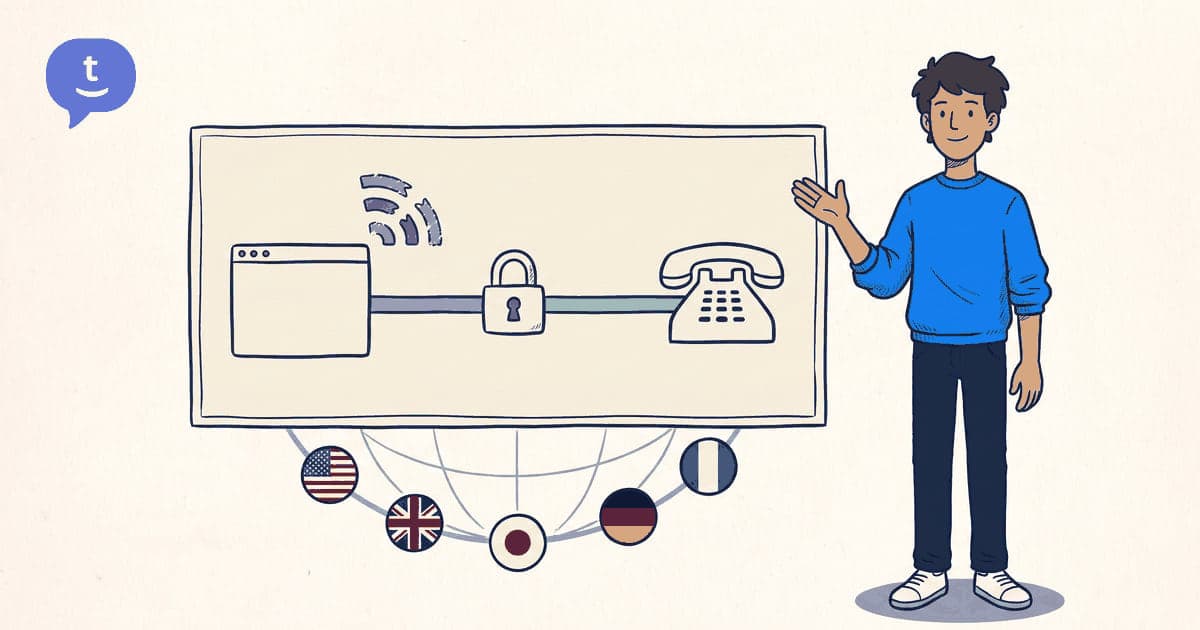
When you make a call through your browser, your voice is converted into tiny packets of data, encrypted, sent over the internet to a server, and then connected to the phone network that reaches the person you're calling.
It's the same technology that powers Zoom and Google Meet video calls — except instead of connecting to another computer, it connects to a real phone number.
The result: calls that cost a fraction of what carriers charge, because the expensive part (the phone network) is only used for the last mile.
WebRTC: The Technology Behind It
WebRTC (Web Real-Time Communication) is an open-source technology built into every modern browser. It was created by Google and is now maintained by the W3C and IETF.
When you click "call" on a service like TwinPhone, here's what happens:
- Your browser captures audio from your microphone using WebRTC.
- The audio is encoded using the Opus codec — designed for voice, very efficient.
- The data is encrypted with DTLS-SRTP (Datagram Transport Layer Security + Secure Real-Time Transport Protocol).
- Encrypted packets are sent to TwinPhone's servers.
- The server connects to the PSTN (Public Switched Telephone Network) — the global phone network.
- The call reaches the other person's landline or mobile.
All of this happens in milliseconds. The encryption happens automatically — you don't need to do anything.
Pay as you go
Call any country from $0.02/min
Free to sign up — no card needed to start. Top up $10 and pay only for the minutes you actually call. No subscription, no monthly fee.
No card to sign up · Top up $10 · Pay only when you call
Why It Works on Bad Wi-Fi
This is where modern VoIP services have gotten really good. Older VoIP (like early Skype) would crackle, cut out, and drop calls on anything less than a perfect connection.
Modern browser-based calling uses several techniques to handle poor connections:
Adaptive bitrate — the codec adjusts quality in real-time. On fast Wi-Fi, you get HD voice. On slow connections, it gracefully reduces quality while keeping the call connected.
Jitter buffering — small delays in packet arrival are smoothed out so you don't hear choppy audio.
Packet loss concealment — if a few packets are lost (common on Wi-Fi), the codec fills in the gaps using predictive algorithms.
ICE/STUN/TURN — these protocols find the best network path between you and the server, even behind firewalls and NATs.
The result: calls that stay connected on airport Wi-Fi, hotel connections, mobile hotspots, and other less-than-ideal networks.
How Encryption Protects Your Calls
Every browser-based call on TwinPhone uses two layers of encryption:
TLS (Transport Layer Security) — encrypts the signaling data (who you're calling, call setup information). This is the same encryption that protects your online banking.
SRTP (Secure Real-Time Transport Protocol) — encrypts the actual audio of your call. Even if someone intercepted the data packets, they'd hear nothing but noise.
This is significantly more secure than traditional phone calls, which are unencrypted on the cellular network. When you call from your mobile carrier, your voice travels unencrypted over radio waves that can theoretically be intercepted.
With browser-based calling, encryption is automatic and mandatory — there's no way to make an unencrypted call.
Why Browser Calls Are So Much Cheaper
Traditional international calls are expensive because of termination fees — the cost of connecting to the destination country's phone network.
Browser-based calling is cheaper because:
No cellular network on your end — your voice travels over the internet (which you're already paying for) instead of through a carrier that charges per-minute fees.
Efficient routing — VoIP providers negotiate wholesale rates with telecom carriers worldwide, passing the savings to you.
No infrastructure overhead — no cell towers, no physical phone lines, no expensive hardware. The "equipment" is your browser.
Transparent per-minute rates — no connection fees, no hidden charges, and the exact per-minute rate is shown before every call. You top up a balance and pay as you go, with no subscription or monthly fee.
The result: calls that cost $0.02-0.15/min instead of $1.50-3.00/min through your carrier.
Related Resources
Ready to try it yourself?
Sign up free in 30 seconds. No credit card, no app download — top up from $10 and dial.
Try Now